Token Boy is a browser-based interface set in a world run by AI companies. The remaining humans survive by feeding data back into the systems that control them. Each person is issued a device called Token Boy. They use it to photograph their surroundings and write descriptions, which are sent upstream as training data.
The project points to the hidden cost behind artificial intelligence. Today, people constantly use AI in all kinds of ways, without realizing their data is being used to train massive systems.
The World
In this fiction, humans are both users and slaves to technology. Token Boy turns an ordinary person into a data collector: capture an image, describe what you see, submit. The interface is clean and friendly, which makes the underlying system feel even more unsettling.
Pip-Boy and Token-Boy
The name Token Boy is a direct nod to the Pip-Boy from Fallout. In the games, the Pip-Boy is not just a menu. It is a device that exists inside the world, strapped to the player’s wrist, with a green phosphor CRT screen.
Both the Pip-Boy and Token Boy reframe how the wearer sees the world. In Fallout, the Pip-Boy turns the wasteland into manageable stats and inventory slots. In Token Boy, the device turns reality into data entries and token balances.
Data Pipeline
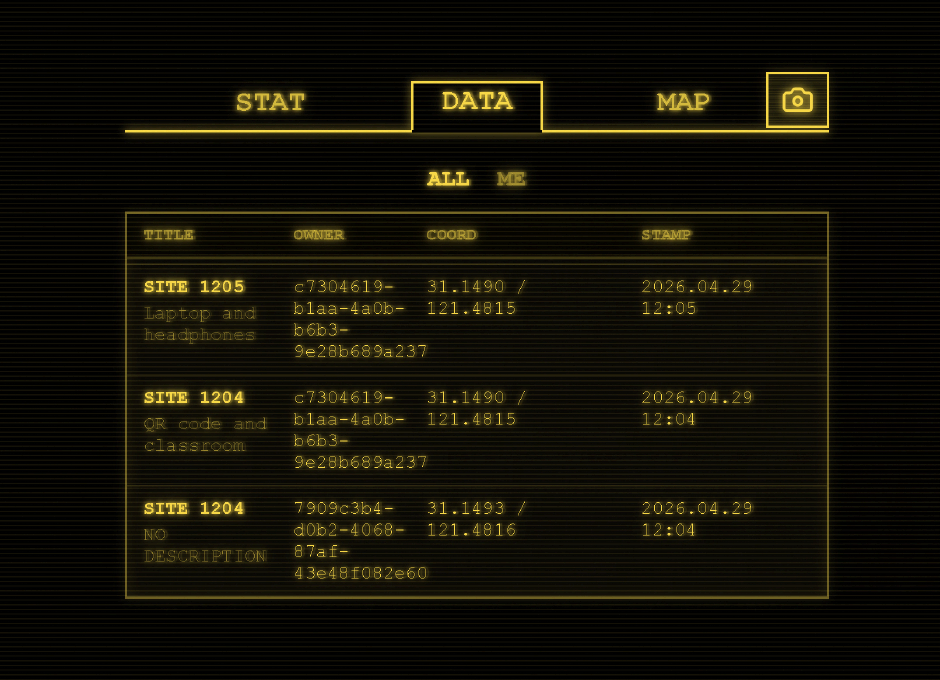
Once submitted, the entry is logged and mapped. The system tracks where each piece of data originated, building a geographic profile of human activity. The map becomes a record of surveillance dressed up as contribution.
The Oracle
The Oracle is the mirror of what people use AI for today. Users spend tokens they earned from feeding data into the system to ask questions and receive answers. It is the same loop happening in the real world: contribute data, get credits, spend credits on AI services.
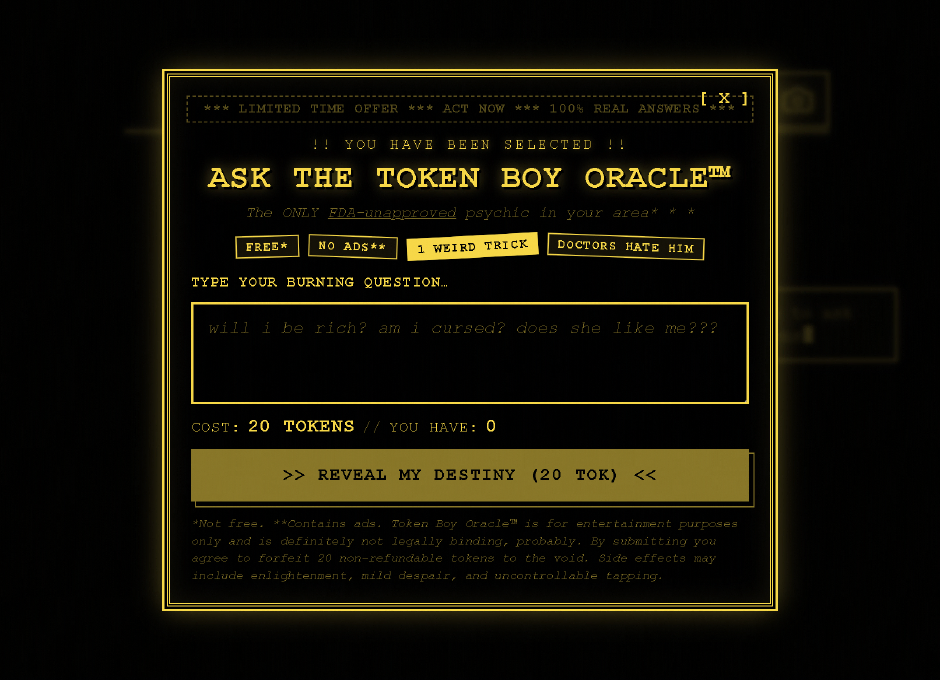
The oracle presents itself with the language of modern apps — limited time offers, free but with asterisks, bold claims. Users type a question, pay the token cost, and receive a randomly selected fortune-cookie response.
Map Interface
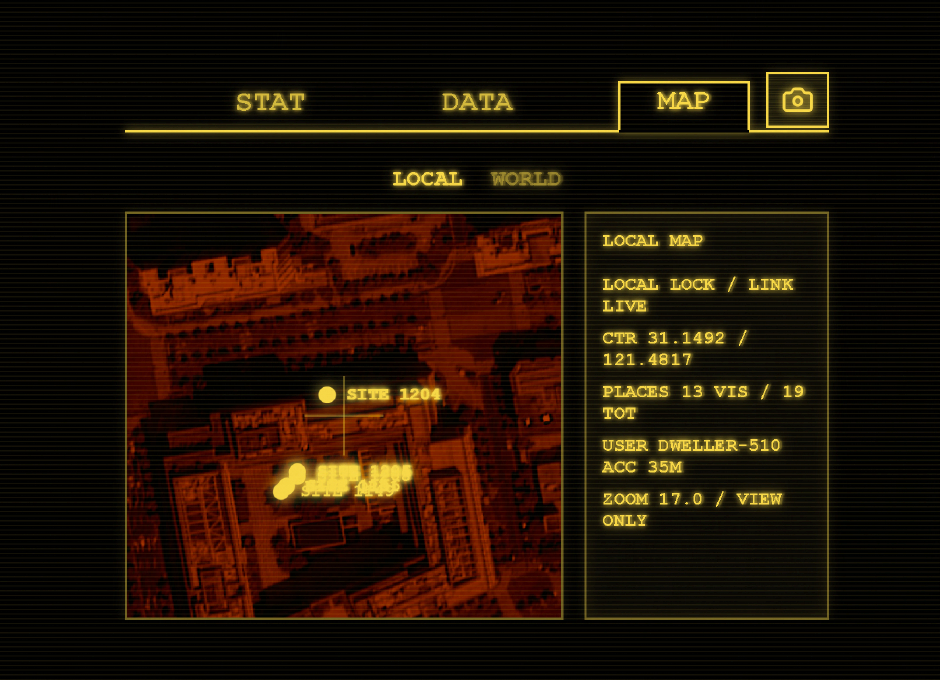
The map is built with MapLibre because the project needs a proper WebGL map in the browser with smooth pan and zoom, custom basemaps, and a globe mode for “world” next to a flat “local” view. Users can switch between a global perspective and a focused local view, reinforcing the sense that every individual submission is a small part of a much larger system.
Technical Choices
Petite Vue
A pain with pure HTML and JavaScript is that every little UI change means hand-updating the DOM, which leads to easy mistakes when map or socket data shifts. Petite Vue keeps that problem smaller: change one reactive object and the template follows. It is a lightweight way to add reactivity without bringing in a full framework, which made it a good fit for a project that needs live UI updates without heavy build tooling.
The entire app state is a single reactive object. Petite Vue mounts it to the DOM with v-scope, and the HTML template stays in sync automatically.
import { createApp, reactive } from "petite-vue";

const appState = reactive({
  activePage,
  cameraHref: buildCameraPageHref(),
  hasPendingPhoto: hasPendingPlacePhoto(),
  isLoading: true,
  userPlaceCount: 0,
  userTokenBalance: 0,
  pages,
  // ...
  async submitOracleQuestion() {
    // oracle logic
  },
});

createApp(appState).mount("#app");
In the HTML, v-model binds inputs, v-if and v-for control rendering, and @click wires up handlers without manual DOM queries:
<textarea
  id="oracle-question"
  class="oracle-input"
  v-model="oracleQuestion"
  :disabled="isOracleSubmitting || !!oracleAnswer"
  maxlength="240"
  rows="3"
  placeholder="will i be rich? am i cursed? does she like me???"
></textarea>
MapLibre GL JS
MapLibre handles the rendering of both the flat local map and the globe mode. It provides smooth WebGL-based panning and zooming, supports custom basemaps, and runs entirely in the browser without relying on external services that require API keys.
The project uses a custom raster style built on AutoNavi tiles, with a black background and high-contrast yellow accents to match the terminal aesthetic.
const gaodeRasterTileUrl =
  "https://webst01.is.autonavi.com/appmaptile?lang=zh_cn&size=1&scale=1&style=6&x={x}&y={y}&z={z}";

const rasterBasemapStyle: StyleSpecification = {
  version: 8,
  sources: {
    "gaode-raster": {
      type: "raster",
      tiles: [gaodeRasterTileUrl],
      tileSize: 256,
      maxzoom: 18,
      minzoom: 0,
    },
  },
  layers: [
    {
      id: "background",
      type: "background",
      paint: {
        "background-color": "#000000",
      },
    },
    {
      id: "gaode-raster-layer",
      type: "raster",
      source: "gaode-raster",
      paint: {
        "raster-opacity": 0.98,
      },
    },
  ],
};
Switching between local and world mode changes the projection and camera in one call:
function applyMapMode(mode: MapMode, immediate: boolean) {
  appState.activeSubtab = mode;
  appState.mapHeading = mode === "WORLD" ? "WORLD GLOBE" : "LOCAL MAP";

  const target = mode === "WORLD" ? worldCamera : localCamera;

  map.setProjection({
    type: mode === "WORLD" ? "globe" : "mercator",
  });

  const camera = {
    center: target.center,
    essential: true,
    pitch: 0,
    zoom: target.zoom,
  };

  if (immediate) {
    map.jumpTo(camera);
  } else {
    map.easeTo({
      ...camera,
      duration: 650,
    });
  }
}
Real-time updates come through Socket.IO. When a new place is created, the server broadcasts it to every connected client, and the map layer refreshes automatically:
socket.on("placeCreated", (place) => {
  if (places.has(place.id)) {
    return;
  }

  places.set(place.id, place);
  refreshPlaceMarkers();
  syncMapReadout();
});